Website Design in 2026: How to Build a Professional Site That Actually Works
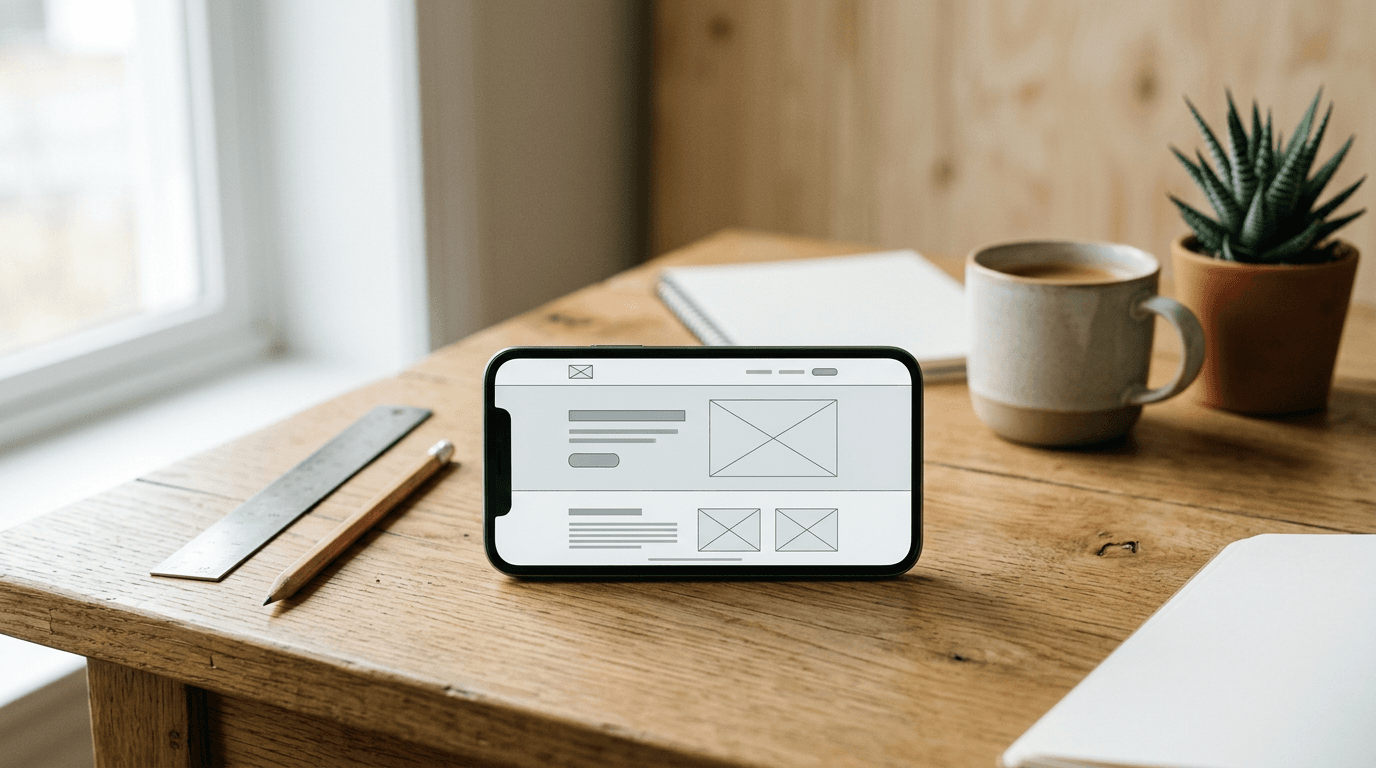
A site owner usually notices the real problem about two weeks after launch - traffic arrives, people scroll, and then nothing happens. The homepage looks polished, the brand colors are correct, and the mobile menu technically works, but the site still feels harder to use than it should. That gap is what website design in 2026 is really about: not decoration, but reducing friction so the right visitor can understand, trust, and act.
Quick Summary
Professional website design in 2026 means building pages that load cleanly, explain value fast, work on mobile first, and guide visitors toward a clear next step. Good design is less about visual trends and more about structure, clarity, accessibility, and measurable business intent.
- Start with the page goal before choosing layouts or styles.
- Build for mobile behavior first, then expand for larger screens.
- Use visual hierarchy to make the next action obvious.
- Remove anything that slows load time or blurs the offer.
- Treat launch as the start of testing, not the finish line.
Table of Contents
- Quick Summary
- Table of Contents
- If the goal is fuzzy, the design will fail
- Mobile-first is no longer optional - it is the default reading environment
- Visitors decide faster than most teams write copy
- Professional polish usually comes from restraint, not more elements
- Trust breaks on small details before it breaks on branding
- A beautiful page that loads badly is still a bad page
- Most redesigns disappoint because nobody sets a measurement plan
- Common Pitfalls & Troubleshooting
- FAQ
- Recommended Reads
If the goal is fuzzy, the design will fail
1. Define the job of the site before you choose a layout
The first mistake in how to design a website is starting with inspiration boards, templates, or animation ideas before deciding what the site must do. A website for a consultant, a local service business, an online store, and a creator selling sponsorships may all look “modern,” but their real jobs are different. One needs lead qualification. Another needs product discovery. Another needs fast trust and media proof.
The practical way to do this is to write a one-line purpose for each key page. Homepage: explain offer and route traffic. Service page: answer buying questions and remove doubt. Product page: help comparison and reduce abandonment. Contact page: screen serious inquiries from low-intent ones. If you cannot describe a page’s job in one line, it is probably carrying too many jobs.
What to check today: look at your homepage and ask whether its primary action is singular and visible. If the page asks the visitor to subscribe, shop, book, read the story, join the newsletter, and follow social channels all at once, the design problem started before the visuals did.
In practice, website design professional standards begin with ruthless prioritization. The cleanest pages usually have fewer goals, not better gradients.
Mobile-first is no longer optional - it is the default reading environment
2. Design the smallest screen first and protect the first screenful
A lot of teams still approve designs on a desktop monitor and “make them responsive” later. That workflow creates bloated hero sections, stacked navigation, and calls to action pushed far below the fold on phones. In 2026, that is backwards. For many small businesses, creators, and online stores, the first serious visit happens on mobile from Instagram, TikTok, YouTube, or search.
Designing mobile first does not mean making a tiny desktop site. It means deciding what must survive when screen width disappears. Usually that is a clear headline, one supporting sentence, one primary action, and enough visual proof to feel legitimate. If a visitor has to pinch, hunt, or open three accordions to understand the offer, the site is asking too much too early.
Practical rule: If the first mobile screen cannot answer who this is for, what it offers, and what to do next, keep cutting until it can.
What to check today: open your site on your own phone, on cellular rather than office Wi-Fi, and count how many swipes it takes to reach the primary call to action. Then check whether sticky bars, cookie banners, or chat widgets are covering real content. That is one of the most common modern website design failures because it often passes desktop review.
For audiences building traffic from social bios, a streamlined landing page matters even more. A simple hub structure - similar in spirit to a tool like one link for everything - works when the visitor arrives with low patience and needs fast routing.
Visitors decide faster than most teams write copy

3. Build hierarchy so the page can be understood in seconds
Visual hierarchy is what separates a page that feels effortless from one that feels noisy. This is not just about making the heading larger. It is the combined effect of headline order, spacing, contrast, image choice, button treatment, and how many competing signals appear at once.
A professional page usually follows a simple sequence: headline, clarifier, action, proof, detail. Readers do not absorb everything equally. They scan for relevance first, then reassurance, then specifics. When a page opens with abstract slogans, decorative motion, or generic stock imagery, visitors cannot place themselves in the message. They leave before the design gets a chance to explain itself.
What to do today: print your homepage or zoom it all the way out on screen. Can you still identify the headline, the button, and the next section’s purpose? If everything becomes one gray block, the hierarchy is weak. Fix that with stronger section contrast, shorter copy blocks, clearer subheads, and fewer side-by-side calls to action.
This is where many people confuse style with communication. Modern website design is not the same thing as trendy website design. A site can use current visual language and still fail because no element clearly outranks the others.
Professional polish usually comes from restraint, not more elements
4. Use typography, spacing, and components consistently
Most sites do not look unprofessional because of one catastrophic choice. They look unprofessional because every small choice was made in isolation. Button radii change from section to section. Heading sizes drift. Cards use different shadow depths. Spacing tightens in one block and expands randomly in the next. Users may not name these inconsistencies, but they feel them immediately.
The fix is a lightweight design system, even for a small business site. Define a type scale, spacing scale, button styles, form fields, card patterns, icon treatment, and rules for image cropping. Then reuse them relentlessly. This lowers design noise and speeds up later edits because the next page does not have to be reinvented.
What to check today: count how many button styles appear on your site. If there are four versions of the primary button, or if some links look clickable and others do not, standardization is overdue. Also check text width. Long lines on desktop make copy harder to read, which is one reason “professional” sites can still underperform.
The honest limit here is that consistency alone does not make a weak offer compelling. It does, however, stop presentation errors from undermining a good offer.
Trust breaks on small details before it breaks on branding
5. Add the proof, navigation, and page signals people look for
When users say a site “doesn’t feel legit,” they are often reacting to missing cues rather than visual taste. Thin service descriptions, no visible contact path, vague pricing language, broken footers, and empty social icons all damage trust faster than an outdated color palette does.
The mechanics matter. People check navigation labels to predict effort. They scan the header and footer for business signals. They look for evidence that someone else has used the service, bought the product, visited the location, or featured the brand. For professional business standards, trust content should sit close to the decision point, not buried on a separate page no one opens.
What to do today: inspect every core page for three items - a clear next action, a trust element, and a way back out if that page is not the right fit. Trust elements can be testimonials, client categories, review summaries, process explanation, team identification, policy links, or location details where relevant. The right mix depends on the business model.
The mistake people make here is overcompensating. Too many badges, logos, and promotional strips can read as defensive. Use proof that answers an actual doubt instead of proof that simply fills space.
A beautiful page that loads badly is still a bad page
6. Control performance, accessibility, and technical basics before launch
Many redesigns fail because the review process focuses on screenshots rather than behavior. A page can look excellent in Figma and still perform badly once real fonts, video, scripts, consent banners, trackers, and widgets are loaded into the browser. The visitor does not care which layer caused the delay. They only feel that the site is slow or unstable.
Start with the heavy offenders: oversized images, autoplay video, custom fonts loaded in excess, third-party scripts, and animation that shifts layout after render. Then handle accessibility basics: sufficient contrast, keyboard focus visibility, form labels, meaningful link text, sensible heading order, and tap targets large enough for thumbs. None of that is cosmetic. It changes whether people can use the site.
What to check today: test the site on an older phone and with a slower connection. Try navigating without a mouse. Fill every form field incorrectly on purpose and see whether the error messages help. Most teams only test the happy path, which hides the very friction that costs conversions.
A site does not need every advanced effect to meet professional standards. It does need to remain usable when the conditions are less than ideal.
Most redesigns disappoint because nobody sets a measurement plan
7. Launch with tracking and a revision loop, not with hope
The site is not finished when it goes live. It is finished when it proves it can support the business goal you defined in step one. That means tracking the actions that matter: form submissions, product clicks, checkout starts, booking requests, email signups, outbound contact taps, or whatever counts as progress for your model.
This is where how to design a website becomes operational rather than aesthetic. If a landing page has a high entrance rate but weak click-through, the issue may be message clarity. If people reach the form and stop, the form may be too long or ask for commitment too early. If traffic lands on blog content but never reaches service pages, internal paths are weak. Without tracking, every revision becomes a matter of opinion.
What to do today: choose one primary conversion and two supporting micro-conversions for each important page. Then review them after launch on a fixed schedule. Weekly is useful during the first month because early issues are usually structural, not seasonal. The most common failure is measuring only traffic. Traffic tells you whether people arrived. It does not tell you whether the design worked.
Common Pitfalls & Troubleshooting
A site that “looks fine but does not convert” can be failing for very different reasons. The outside symptom is identical. The fix is not.
Symptom: visitors scroll but do not click anything.
Most often, the real cause is message ambiguity, not button color. Check whether the headline says what the business actually offers in concrete terms. If users have to infer the offer from several sections, they will not act. Fix the opening sequence first: headline, clarifier, action, proof.
Symptom: mobile traffic is high, but inquiry quality is poor.
This often comes from weak qualification, not weak traffic. The page may attract broad interest but fail to signal who it is for, what budget or use case it suits, or what happens next. Tighten service descriptions, add expectation-setting copy, and remove vague calls to action like “Learn more” where a more specific action belongs.
Symptom: the bounce rate feels high after a redesign.
One common cause is slower load and visual instability introduced by media and scripts. Another is a mismatch between ad or social promise and landing-page content. Check the first-screen message against the source that sent the click. If the promise changed, the design is not the only problem.
Symptom: users start forms but do not finish them.
This is usually a form design issue before it is a trust issue. Look for too many required fields, unclear error states, poor keyboard behavior on mobile, or fields that ask for sensitive information too early. Shorten the first conversion step. Gather more detail later.
Symptom: stakeholders keep asking for more sections on the homepage.
The hidden issue is often unclear page ownership and no agreed priority. Every department wants representation, so the homepage becomes a compromise document instead of a decision page. Return to the page goal. If a section does not support that goal, move it or cut it.
FAQ
How long should a professional homepage be?
Long enough to answer the buying questions for your traffic source, and no longer. A cold visitor from search usually needs more context than a warm visitor from email or social. Do not judge length by screen count. Judge it by whether each section removes a specific doubt.
What makes a website look professional in 2026?
Consistency, clarity, speed, and trust signals do more than visual fashion. Good typography, spacing discipline, clean mobile behavior, accessible interaction patterns, and obvious next steps are what make a site feel credible. Trend-led visuals help only when the fundamentals are already sound.
Is modern website design the same as minimal design?
No. Minimal design removes clutter. Good modern website design removes friction. Sometimes that results in a minimal interface, but sometimes the business needs comparison tables, FAQs, process steps, or detailed product information. Sparse pages can still underperform if they leave key questions unanswered.
Should every small business use the same website structure?
No. A local service business, creator brand, SaaS tool, and online store need different content structures because visitors arrive with different questions. What should be shared is the discipline: clear page purpose, mobile-first layout, visible proof, and measurable next steps.
When should you not keep redesigning the site?
If the real issue is weak traffic quality, pricing mismatch, or an offer people do not want, another visual redesign will not save it. A site can only present the business well; it cannot repair a broken business model. Redesign when the problem is clarity, usability, trust, or conversion flow - not when the underlying offer is still unresolved.