How to deploy a qr code online to drive offline traffic
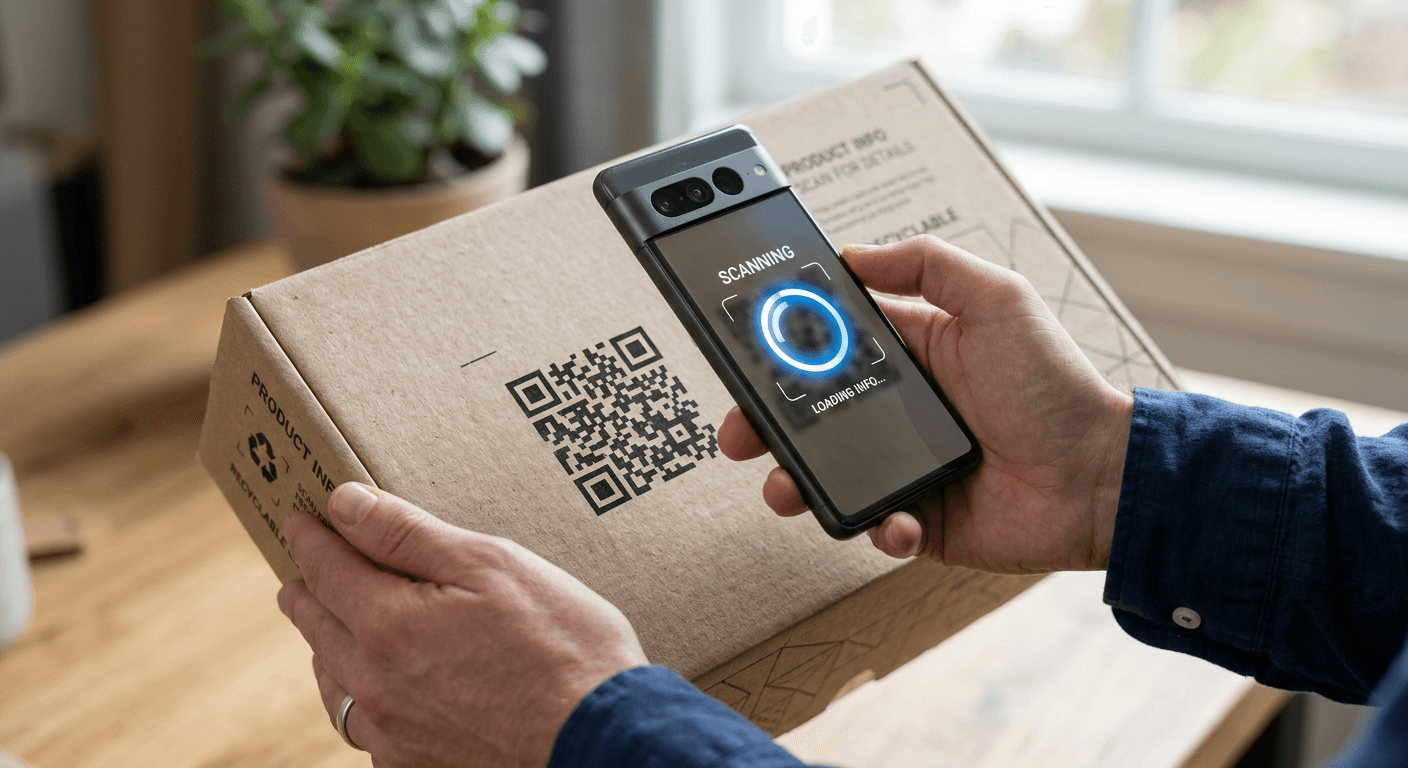
Most businesses assume a QR code is merely a visual hyperlink, an optical shortcut to save the user from typing. This frame treats the matrix as static infrastructure rather than an active acquisition channel. When you treat the code as a dumb pointer, you forfeit source attribution, parameter passing, and device-specific routing. Creating a qr code online requires treating it as the top of a structured funnel. If you simply paste a naked homepage URL into a generator and export the image, you have blinded your own analytics.
The optical scan is the handshake. What happens in the milliseconds after the lens resolves the matrix dictates whether you capture a user or log a bounce. For a local store printing window decals or an e-commerce brand dispatching physical packages, the gap between the physical object and the digital storefront is where intent is lost. Bridging that gap means configuring tracking variables, managing error correction for physical durability, and enforcing mobile-optimized routing before a single drop of ink hits paper.
Quick Summary
Deploying a QR code bridges offline intent with digital infrastructure, transforming physical touchpoints into trackable acquisition channels. A correctly configured matrix captures source data, routes users dynamically, and measures offline campaign performance with digital precision.
- Static codes hardcode the destination; dynamic codes use server-side redirects for trackability.
- UTM parameters must be appended before encoding to attribute offline traffic accurately.
- Reed-Solomon error correction levels dictate how much of the physical code can sustain transit damage.
- Minimum print sizing depends strictly on the scanning distance ratio and total module count.
- Pre-deployment validation requires testing on native hardware across varying lighting conditions.
Table of Contents
- Why generating a qr code online dictates your offline strategy
- 1. Select the destination protocol and payload data
- 2. Define the tracking parameters and analytics integration
- 3. Generate and encode the website qr code
- 4. Size and format the matrix for print tolerances
- 5. Execute pre-deployment scanning validation
- Common Pitfalls & Troubleshooting
- FAQ
- Recommended Reads
Why generating a qr code online dictates your offline strategy
A digital infrastructure is only as effective as the traffic routed into it. When an e-commerce brand or local business deploys physical media, they face a conversion gap. The customer holds the physical item but exists entirely outside the digital tracking environment. Without a mechanism to bridge this divide, offline engagement remains invisible to your analytics dashboard, making return on investment impossible to calculate.
When you generate a qr code online, you establish a digital bridge that carries the user from an unmeasured offline state into a measured online session. The configuration chosen during generation dictates exactly what data makes it across that bridge. If you fail to configure error correction, the scan fails in poor lighting. If you fail to configure routing, the user hits a desktop layout on a mobile device and immediately bounces. The mechanics of the generation process define the ceiling of your conversion rate. By treating the matrix as an acquisition tool, you dictate the post-scan journey, capturing audience intent that would otherwise evaporate the moment the user walks away from the physical asset.
1. Select the destination protocol and payload data
The foundation of any scan is the destination payload. You must decide whether the code will resolve directly to the target URL (a static code) or resolve to an intermediary tracking URL that redirects to the final destination (a dynamic code).
Mechanically, a static code embeds the literal string of characters of your website directly into the matrix. If your URL changes, or if you discover a typo after printing, the physical code becomes useless and must be recalled. A dynamic code embeds a distinct short URL pointing to a routing server, which then issues a 301 or 302 redirect to your actual page. This allows you to update the destination dynamically without reprinting the physical asset. It also allows the routing server to log the IP address, device type, and timestamp of the scan before the user reaches your site.
The most frequent mistake practitioners make at this stage is deploying static codes for temporary promotions. They print thousands of labels with a hardcoded URL pointing to a seasonal campaign, only to find they cannot redirect the traffic when the season ends. Always default to dynamic routing for commercial applications unless embedding offline data that does not require an internet connection.
2. Define the tracking parameters and analytics integration
Offline traffic looks like direct traffic unless you explicitly tell your analytics platform otherwise. Before generating the code, the destination URL must be appended with specific tracking parameters to bridge the attribution gap.
Mechanically, this involves constructing a UTM string. When the device camera decodes the matrix and opens the mobile browser, these parameters instruct your analytics software to categorize the session correctly, rather than lumping it in with users who typed your domain manually. Consolidating this traffic into a single branded landing page ensures reliable tracking and simplifies user navigation. Integrating your tracking logic into a unified digital presence like HeyLink.me - One Link for Everything centralizes your analytics and simplifies pixel management across disparate offline campaigns.
The specific failure here is parameter dilution. Practitioners often use the exact same UTM string for every printed code, destroying the ability to distinguish whether the scan came from a street flyer, a product box, or a conference banner. Every distinct physical placement requires a distinct campaign value to measure the yield of that specific asset. If you cannot tell which physical placement drove the sale, the tracking is incomplete.
3. Generate and encode the website qr code
With the URL and parameters defined, you must translate the data string into a two-dimensional matrix. This is where you configure the error correction level, which dictates how much of the printed code can be obscured, damaged, or customized before the scanning algorithm fails to reconstruct the data.
The QR standard uses Reed-Solomon error correction. It categorizes into four distinct levels. These are L, M, Q, and H. Higher error correction adds redundant data modules to the grid. The resulting image grows denser. It also becomes visually more complex. This redundancy is vital. It allows a matrix with a logo in the center or a scratch across its surface to remain entirely legible to a camera.
Practical rule: Always select Level H for maximum error recovery if the code will be printed on curved surfaces, fabric, or packaging that might suffer transit damage, reserving Level L strictly for pristine digital displays.
The mistake people make is ignoring module density when embedding a website qr code. They use a massive URL packed with tracking parameters and apply Level H correction, resulting in a dense, tightly packed grid that cheaper smartphone cameras struggle to resolve. If you need Level H correction for physical durability, you must use a URL shortener to keep the payload small.
4. Size and format the matrix for print tolerances
A code that scans perfectly on a high-resolution retina monitor will often fail entirely when transferred to physical media. The physical dimensions, contrast ratio, and substrate material must align precisely with the intended scanning environment.
Mechanically, scanning distance determines the minimum print size. The rule is a 10:1 ratio: the distance from the scanner to the code should be ten times the width of the code. If a user will scan a store poster from one meter away, the code must be at least 10 centimeters wide. Furthermore, the matrix requires a "quiet zone"-a strict margin of blank space around the entire code equal to at least four data modules. This isolation zone allows the scanning software to distinguish the alignment patterns from surrounding graphical elements.
The standard failure mode here is inverse printing without verifying contrast. Designers often invert codes to match brand aesthetics, printing white modules on a dark background, or using low-contrast color combinations. While modern native scanners can read inverted codes, many older devices or third-party apps still expect dark modules on a light background. Inverting the contrast limits your audience strictly to users with advanced hardware, actively sacrificing potential conversions for aesthetics.
5. Execute pre-deployment scanning validation
Before sending the matrix to a commercial printer or pushing it to a production run, the physical asset must undergo rigorous device testing. Digital validation on a monitor does not account for light reflection on glossy paper, the curvature of a product bottle, or the bleed of ink into fabric.
To test properly, print the code at its exact final dimensions, using the exact material and ink profile it will live on in the wild. Test the scan using the native camera apps of both iOS and Android devices, as well as popular third-party scanners. Most importantly, execute the test in the specific physical lighting conditions where the asset will be placed, ensuring the redirect executes in under three seconds on a standard cellular connection, rather than a corporate Wi-Fi network.
The mistake practitioners make is testing the code exclusively from a flat desktop monitor under perfect office lighting. They deploy the physical asset to a sunlit storefront window, where harsh glare on the glass entirely obscures the matrix, rendering the code unscannable during daylight hours. Validation must replicate the physical reality of the end user, including bad lighting and moving hands, not the sterile environment of the designer.
Common Pitfalls & Troubleshooting
Physical implementation failures often mimic digital routing errors. When offline traffic fails to materialize in your analytics dashboard, you must isolate the exact failure point across the optical scan, the redirect protocol, and the destination page load.
The camera detects the code but fails to trigger a prompt
Symptom: The user's native camera app draws a yellow box around the matrix or attempts to focus on it, but no notification or clickable link appears on the screen. Diagnosis and Fix: This is an encoding density or contrast issue, which is the most frequent real cause of scan failure. The matrix contains too much data, rendering the modules too small for the camera's resolution to distinguish, or the required quiet zone has been encroached upon by surrounding artwork. The fix is to replace the long destination URL with a short URL to reduce grid complexity, increase the contrast between the modules and the background, and ensure a minimum four-module white border remains clear around the entire code.
Traffic registers as direct traffic rather than campaign attribution
Symptom: The code scans successfully and the page loads without delay, but the analytics software shows a spike in direct traffic with zero attribution to the offline campaign. Diagnosis and Fix: The destination URL was encoded without UTM parameters, or the intermediary redirect server is stripping the tracking parameters before the user hits the destination. The fix is to append tracking tags to the final destination URL before configuring the dynamic redirect, ensuring the parameters survive the server jump and register on the landing page.
The redirect hangs or displays a browser security warning
Symptom: The user taps the scanned link prompt, but the browser displays a privacy warning or fails to resolve the page entirely. Diagnosis and Fix: The dynamic routing server is lacking an SSL certificate, or the short URL was configured using HTTP rather than HTTPS. Modern mobile browsers actively block or flag unencrypted redirects. The fix is to ensure the intermediary tracking link explicitly enforces the HTTPS protocol and that any custom tracking domain deployed has a valid SSL certificate provisioned and properly renewed.
The user lands on a desktop layout on a mobile device
Symptom: The scan executes and the page loads, but the layout requires pinch-to-zoom and the conversion rate from the scan is near zero. Diagnosis and Fix: The matrix routes directly to a legacy desktop page rather than a mobile-optimized landing page. Since all physical scans occur on mobile devices, routing to a desktop layout guarantees a bounce. The fix is to route the scan to a dedicated mobile landing page designed specifically for vertical screens.
FAQ
Can a printed QR code be edited after it is distributed?
Only if it was generated initially as a dynamic code. A dynamic matrix encodes a short URL that acts as a router. You can change where that router points in your server dashboard without altering the printed matrix. If you printed a static code, the destination string is mathematically hardcoded into the modules and cannot be changed without recalling and reprinting the physical asset.
What is the minimum size for a printed QR code?
For items held in the hand, such as business cards, flyers, or product packaging, the absolute minimum size is 2 x 2 centimeters. Shrinking below this threshold exceeds the focal limits of most standard smartphone cameras, causing the optical scan to fail regardless of how crisp the printing or how high the contrast is.
Why does my logo in the center break the scan?
Placing a custom logo in the center of the matrix physically overrides data modules. If the error correction level is set too low, the logo destroys more data than the algorithm can mathematically recover. You must increase the error correction to the maximum Level H before inserting any graphics into the grid, ensuring enough redundant data exists to compensate for the missing modules.
Do QR codes expire?
The visual matrix itself is permanent math; the arrangement of squares never expires. However, if the code relies on a dynamic routing service or a third-party generator, the server redirect will break if that provider goes offline, deletes your account, or if you stop paying for their hosting service. A static code pointing to an active domain will function indefinitely.
What color should a QR code be?
To guarantee hardware compatibility, the optimal configuration is pure black modules on a pure white background. While custom colors can align with brand guidelines, there must be a strong contrast ratio between the foreground and background. Light colors, pastels, or inverse configurations will fail on older devices or in low-light environments.