Top 6 Online Whiteboard Tools for Seamless Team Collaboration in 2026
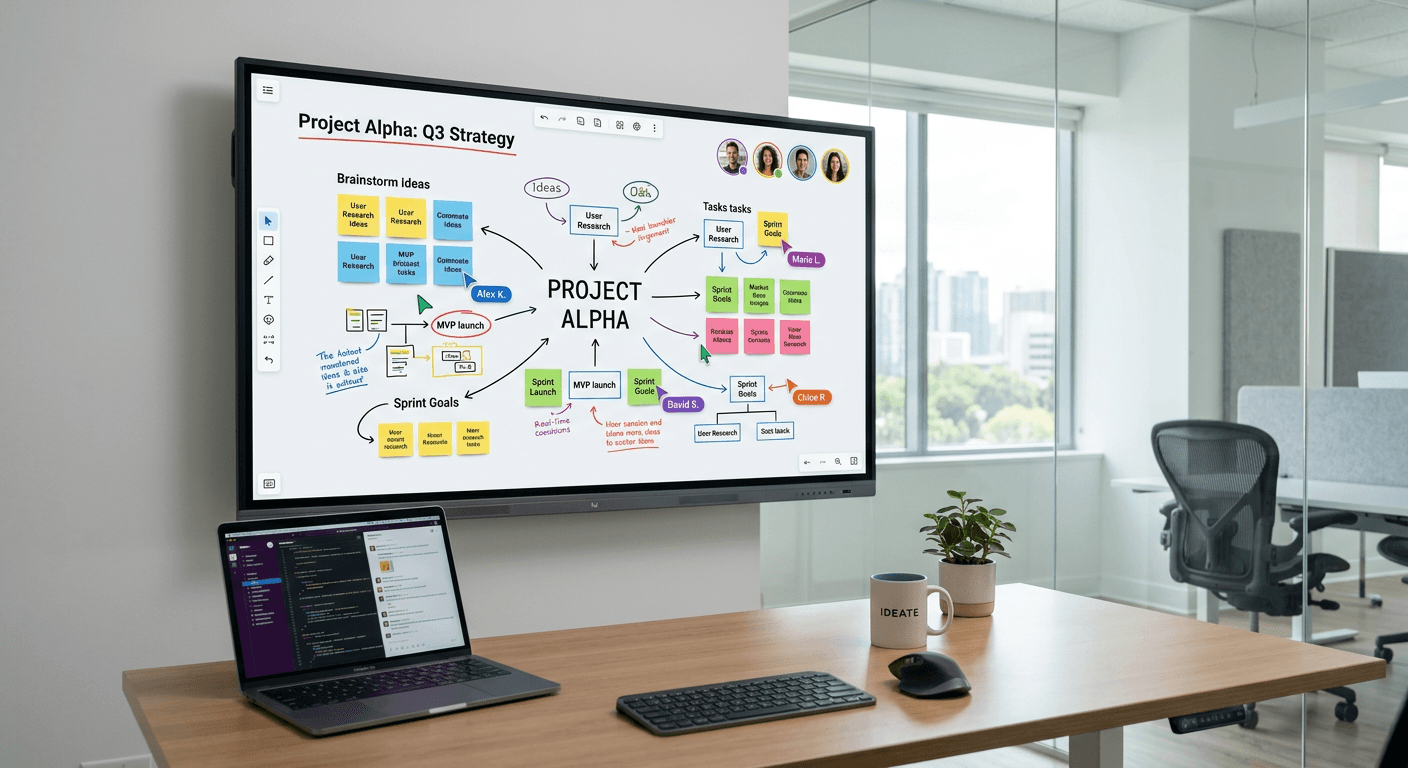
Modern remote and hybrid teams rely on visual communication to bridge the gap between geographic locations. An effective online whiteboard serves as the central hub for brainstorming, project mapping, and agile workflows. Unlike static documentation, these dynamic surfaces allow multiple participants to iterate in real-time, functioning much like a shared physical workspace where creative ideas are mapped out and refined. By integrating advanced features such as an online editor, interactive widgets, and seamless document exports, these platforms have evolved into indispensable assets for high-performing teams.

Quick Summary {#quick-summary}
An online whiteboard is a collaborative digital workspace that facilitates real-time visual problem-solving, brainstorming, and project planning for distributed teams. These platforms consolidate sticky notes, diagrams, and media into a single interactive canvas, often replacing the need for fragmented communication tools.
- Enables real-time synchronization across multiple global time zones.
- Provides infinite canvas space for complex project mapping.
- Supports diverse workflows from agile sprint planning to design prototyping.
- Facilitates secure, high-fidelity collaboration through advanced permissions and integration tools.
Table of Contents {#table-of-contents}
- Comparison of Online Whiteboard Solutions
- Miro: Enterprise Agile Planning
- Mural: Visual Collaboration for Design Thinking
- Lucidspark: Intelligent Diagramming Synergy
- FigJam: Design-Centric Team Iteration
- Microsoft Whiteboard: Enterprise Integration
- Choosing the Right Collaborative Whiteboard
- FAQ
- Recommended Reads
Comparison of Online Whiteboard Solutions {#comparison-of-online-whiteboard-solutions}
| Feature | Miro | Mural | Lucidspark | FigJam | Microsoft Whiteboard |
|---|---|---|---|---|---|
| Core Focus | Agile/Product | Design/Ideation | Diagramming | UI/UX Design | Office 365 Users |
| Ease of Use | Moderate | Moderate | High | High | Moderate |
| Integrations | Extensive | Strong | Excellent | Strong | Native M365 |
| Pricing Model | Tiered | Tiered | Tiered | Tiered | Included in M365 |
| Ideal For | Tech Teams | Workshops | IT/Operations | Creative Teams | Corporate Office |
Miro: Enterprise Agile Planning {#miro-enterprise-agile-planning}
Miro stands as one of the most robust platforms for scaling agile development. Its infinite canvas is optimized for complex project management, allowing teams to create detailed Kanban boards, user story maps, and retrospective layouts. Its primary strength lies in its extensive library of pre-built templates, which significantly reduces the onboarding time for new project teams.
For teams that require an integrated ecosystem, https://heylink.eu.com concepts can be mirrored in Miro by organizing diverse resource links and project files directly on the board. Its advanced administrative controls ensure that sensitive brainstorming sessions remain secure, making it a preferred choice for large enterprises that require compliance alongside creative freedom.
- Pros: Massive template library; advanced enterprise security; high-performance rendering.
- Cons: Steeper learning curve for beginners; high cost for power-user features.
Mural: Visual Collaboration for Design Thinking {#mural-visual-collaboration-for-design-thinking}
Mural prioritizes structured facilitation. It is built specifically to support design thinking methodologies and complex workshop activities. The interface includes built-in timers, voting modules, and private mode features that prevent groupthink, ensuring every team member contributes effectively to the final output.
While Miro focuses on iterative agile movement, Mural leans into the facilitation experience. It is particularly effective for organizations that run frequent synchronous workshops, as the platform is designed to keep participants focused on specific areas of the board throughout a meeting.
- Pros: Excellent facilitation tools; intuitive workshop-focused UI; strong privacy controls.
- Cons: Less flexibility for free-form diagramming; mobile experience can feel cramped.
Lucidspark: Intelligent Diagramming Synergy {#lucidspark-intelligent-diagramming-synergy}
Lucidspark is best known for its synergy with deep technical diagramming tools. It excels when teams need to move from loose brainstorming to concrete architectural planning. By leveraging a high-powered online editor, users can create complex flowcharts and mind maps that translate directly into technical documentation.
Users often use this platform to clarify complex workflows before formalizing them. For those who want to distribute their project maps to clients or stakeholders, managing links via a centralized hub similar to https://heylink.eu.com ensures that documentation remains accessible and updated without manual file attachments.
- Pros: Superior diagramming capabilities; seamless link to technical document editors; smart grouping features.
- Cons: Less emphasis on artistic or free-form creative drawing tools.
FigJam: Design-Centric Team Iteration {#figjam-design-centric-team-iteration}
FigJam is the native collaborative space for designers who are already embedded in the broader product design ecosystem. Because it is built by a company known for interface design tools, the user experience is incredibly fluid and responsive. It feels less like a corporate meeting tool and more like an extension of a design studio.
Designers can pull assets directly from their design files into the whiteboard, facilitating a continuous loop between conceptualization and implementation. The interaction model is fast, utilizing a lightweight online presentation maker approach that allows for quick show-and-tell sessions between developers and designers.
- Pros: Unmatched speed; deep integration with design software; playful and engaging interface.
- Cons: Less suited for complex, non-design enterprise project management.
Microsoft Whiteboard: Enterprise Integration {#microsoft-whiteboard-enterprise-integration}
Microsoft Whiteboard is the logical choice for organizations already fully invested in the Microsoft 365 environment. It requires no additional account management or external security vetting, as it integrates directly with the existing user identities within the organization.
While it lacks some of the advanced facilitation features of its competitors, it provides a stable and reliable space for quick sketching and basic diagramming during calls. It serves as an extension of the existing ecosystem, functioning well as a digital scratchpad for employees during daily remote operations.
- Pros: Native integration with Microsoft 365; no additional subscription cost; high reliability.
- Cons: Limited feature set; lacks advanced project management workflow templates.
Choosing the Right Collaborative Whiteboard {#choosing-the-right-collaborative-whiteboard}
Selecting the right tool depends heavily on your team's specific workflow. Before committing to a subscription, evaluate whether your team requires deep integration with technical diagramming tools or a flexible space for creative workshops. If you are handling sensitive intellectual property, prioritize platforms that offer robust administrative roles and encryption protocols.
Additionally, consider the portability of the data. If you frequently need to generate a digital signature online for agreements stemming from your whiteboard sessions, look for platforms that offer integration with electronic signing services. Efficiency is maximized when the whiteboard does not act as a siloed island, but rather as an connected component of your wider digital toolchain.
FAQ {#faq}
- What is an online whiteboard? An online whiteboard is a cloud-based canvas that allows remote team members to collaborate in real-time by adding sticky notes, drawings, and images to a shared visual space.
- Can I use these tools as an online presentation maker? Yes, many modern whiteboards include presentation modes that allow you to frame specific areas of the canvas and step through them as you would a slide deck.
- Is it possible to use a digital signature online on these boards? While most whiteboards are not dedicated e-signature platforms, many support integrations that allow you to attach files or use third-party plugins to execute document signing processes.
- Do these platforms require a stable internet connection? Yes, because these tools rely on real-time synchronization, a reliable connection is necessary to avoid version conflicts and data loss during collaborative sessions.