Portfolio Website Design: How to Build Your Online Presence
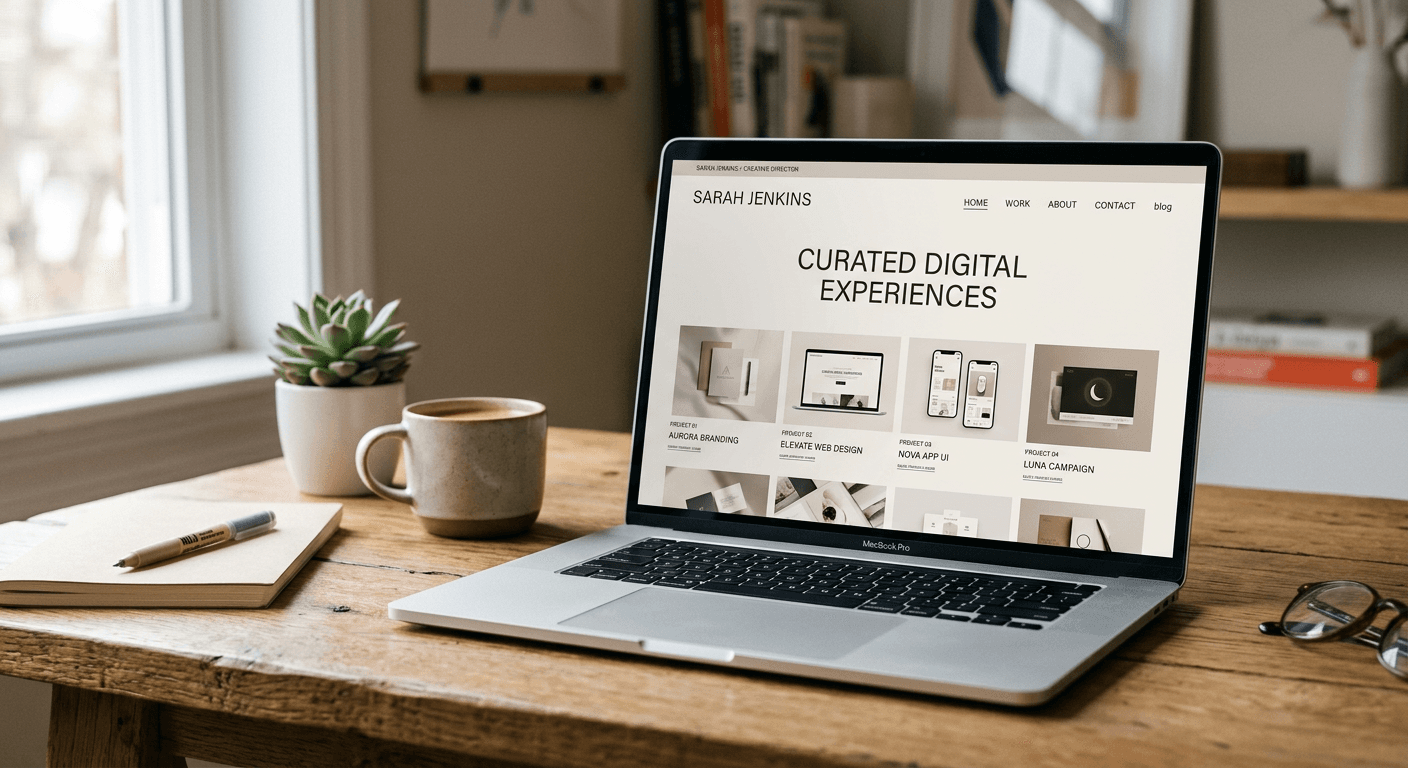
Developing a professional portfolio website design is no longer a luxury but a fundamental requirement for creative professionals, developers, and consultants aiming to secure high-value opportunities. An effective online portfolio acts as a 24/7 digital representative of your skills, providing concrete evidence of your expertise through curated case studies and visual proof. By integrating modern design principles with a clear narrative, you can transition from an applicant lost in a stack of resumes to a candidate with a commanding digital footprint.
Quick Summary {#quick-summary}
Portfolio website design is the process of curating, structuring, and hosting your professional work to showcase expertise and facilitate client or employer acquisition. An effective online presence balances aesthetic visual storytelling with technical performance to create a high-converting digital hub.
- Prioritize quality over quantity by selecting only your most relevant projects.
- Implement a clear, intuitive navigation structure for effortless user journeys.
- Optimize loading speeds to ensure potential clients do not abandon the page.
- Integrate clear calls-to-action to turn visitors into professional contacts.
Table of Contents {#table-of-contents}
- Quick Summary
- Strategic Planning and Content Curation
- Selecting the Right Technical Foundation
- Structuring Your Website for Maximum Impact
- Common Pitfalls and Troubleshooting
- Frequently Asked Questions
- Recommended Reads

Strategic Planning and Content Curation {#strategic-planning-and-content-curation}
Before writing a single line of code or picking a template, you must define the strategic purpose of your portfolio website design. A common mistake is treating a portfolio like an archive of every task ever performed. Instead, treat it as a curated sales pitch. Your objective is to address the specific pain points of your target audience by showcasing how your previous work provided solutions. If you are a graphic designer, focus on the visual impact and branding consistency; if you are a developer, emphasize your problem-solving capabilities and technical stack.
Content curation requires rigorous self-editing. Select three to five "hero" projects that represent the quality of work you want to attract moving forward. For each project, write a brief, compelling narrative: identify the challenge, detail your creative or technical process, and highlight the measurable results. You can find resources to organize your digital presence effectively at heylink.eu.com to ensure your contact channels are streamlined. This documentation transforms simple screenshots into a sophisticated case study that builds trust with prospective employers.
Selecting the Right Technical Foundation {#selecting-the-right-technical-foundation}
Choosing the right infrastructure for your online portfolio depends entirely on your technical proficiency and long-term maintenance capacity. For those with coding knowledge, static site generators or custom builds offer complete control over performance and unique styling. However, for most professionals, a robust content management system or a specialized online CV maker is more practical. These platforms allow you to update your site frequently without needing a developer's intervention, which is critical for maintaining an up-to-date professional history.
When evaluating platforms, consider factors such as responsive design capabilities, SEO friendliness, and integration options. If your site cannot display correctly on mobile devices, you lose a significant portion of your potential reach. Furthermore, verify that your chosen platform supports custom domains. A professional URL adds instant credibility compared to sub-domains provided by free hosting services. If you require a centralized hub to link all your professional profiles, utilize heylink.eu.com to bridge your various social and professional channels.
Prioritizing User Experience and Performance
- Responsive Design: Ensure your layout adapts fluidly to desktop, tablet, and smartphone screens.
- Optimized Assets: Compress all images and media files to keep page load times under two seconds.
- Intuitive Navigation: Limit your top-level menu items to four or five categories to prevent cognitive overload.
Structuring Your Website for Maximum Impact {#structuring-your-website-for-maximum-impact}
A high-performing portfolio website design follows a standard, predictable hierarchy that allows visitors to find information quickly. Start with a hero section that includes a clear, concise professional headline and a brief bio that summarizes your value proposition. Following this, the portfolio section should take center stage. Ensure each project thumbnail leads to a dedicated landing page where the user can dive deeper into the details of your work.
Do not overlook the importance of the 'About' and 'Contact' pages. The 'About' page is where you build rapport; it should detail your professional philosophy and background in a way that feels personal yet professional. Your 'Contact' section must be frictionless. Include a simple contact form, your email address, and links to your professional social profiles. By maintaining this structure, you provide a cohesive experience that builds authority throughout the visitor's journey.
Pro Tip: Always include a "Call to Action" (CTA) on every project page. Whether it is "Hire me for a project" or "Download my full CV," never leave a visitor at a dead end.
Common Pitfalls and Troubleshooting {#common-pitfalls-and-troubleshooting}
One of the most frequent errors in cv website design is creating a site that is too heavy on high-resolution, unoptimized media. This results in slow load times, which is a major deterrent for recruiters or clients on mobile networks. Always use tools to optimize your images for the web before uploading them. Additionally, avoid generic templates that lack customization; if your site looks identical to a hundred others, you fail to build a distinct professional identity.
Another significant issue is broken links and outdated content. Nothing undermines a professional image faster than an empty "Work in Progress" page or a contact link that redirects to a 404 error. Perform a monthly audit of your site to check for broken links and ensure all your contact information is current. If you find managing multiple links difficult, integrating your presence via heylink.eu.com helps keep your contact points updated in one central location.
Frequently Asked Questions {#frequently-asked-questions}
-
How many projects should I feature on my portfolio? Focus on 3-5 high-quality, diverse projects. It is better to showcase a few exceptional pieces than a long list of mediocre ones.
-
Do I need to know how to code to build a great portfolio? No. Modern website builders and specialized CV platforms allow you to create stunning, professional sites without touching a single line of code.
-
Should I put my resume on my website? Yes. Include a downloadable PDF version of your resume to make it easy for recruiters to save and share your credentials.
-
How often should I update my portfolio? Update it every time you complete a significant project or gain a new major skill. A stale portfolio suggests you are not actively growing.