How to Master SEO in Website Design
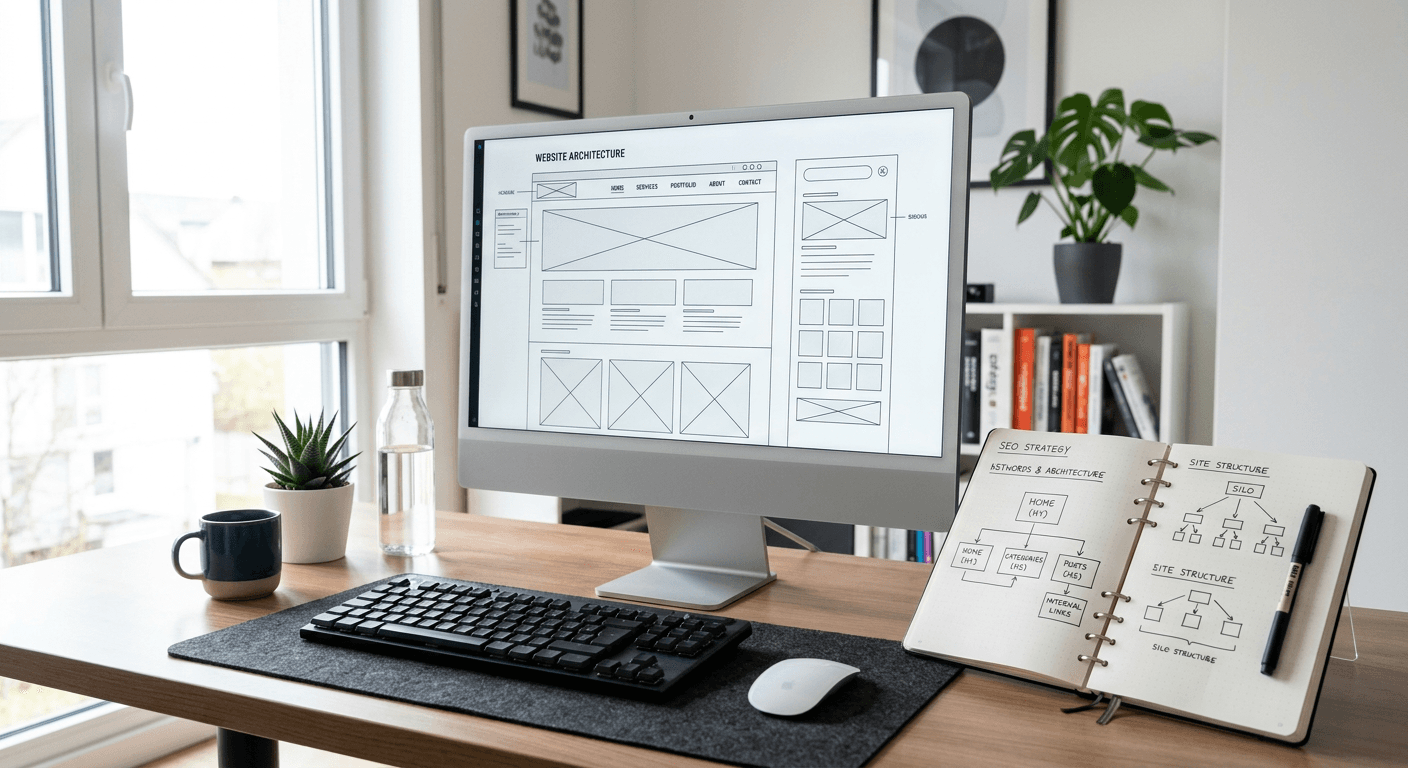
Integrating professional SEO in website design is no longer an optional enhancement; it is a foundational requirement for any digital property seeking visibility in competitive search results. When developers and designers ignore search engine requirements during the initial build, they create "technical debt" that often requires a complete site overhaul later. By aligning architectural choices with search crawler behavior from day one, you ensure that your site is indexed efficiently, loads quickly, and provides the signals necessary to rank for high-intent queries.
Quick Summary {#quick-summary}
SEO in website design is the practice of building a site architecture, content structure, and technical foundation that allows search engines to crawl, index, and understand a website's purpose efficiently. It balances aesthetic user experience with the rigid requirements of search algorithms.
- Prioritize mobile-first responsiveness and core web vitals.
- Utilize clean, semantic HTML5 tags for structural hierarchy.
- Implement a logical URL structure and internal linking strategy.
- Ensure rapid load times through optimized assets and caching.
Table of Contents {#table-of-contents}
- Quick Summary
- Structuring Content Architecture for Search Engines
- Optimizing Technical Performance and Core Web Vitals
- Implementing Mobile-First Design Principles
- Managing SEO-Friendly Navigation and URL Patterns
- Common Pitfalls and Troubleshooting
- Frequently Asked Questions
- Recommended Reads

Structuring Content Architecture for Search Engines {#structuring-content-architecture-for-search-engines}
Content architecture refers to how you organize your information to make it both user-friendly and machine-readable. When you prioritize website design for seo, you must treat your navigation menu and page hierarchy as a roadmap for search crawlers. A flat architecture, where any page on the site can be reached within three clicks from the homepage, is ideal for passing authority from your root domain to deep, niche-specific landing pages.
Use semantic HTML5 tags—such as <header>, <nav>, <main>, <article>, and <footer>—to define the boundaries of your content. Search engines rely on these tags to distinguish between primary content and boiler-plate elements. If you are struggling to manage a complex link strategy for these landing pages, you can explore advanced site organization tools to streamline your digital footprint.
Semantic Hierarchy and Heading Usage
Proper use of heading tags (<h1> through <h6>) is critical for SEO in web design. An <h1> tag should be unique and accurately describe the main theme of the page, acting as the primary hook for search intent. Subheadings should follow a logical sequence, breaking down the content into digestible chunks that help crawlers categorize the topics covered on the page.
Optimizing Technical Performance and Core Web Vitals {#optimizing-technical-performance-and-core-web-vitals}
Technical performance is the backbone of web design with seo. Search engines have publicly signaled that user experience metrics, grouped under Core Web Vitals, are significant ranking factors. This includes Largest Contentful Paint (LCP), which measures how fast the main content loads; First Input Delay (FID), which tracks interactivity; and Cumulative Layout Shift (CLS), which monitors visual stability.
To improve these metrics, focus on minimizing render-blocking JavaScript and CSS. Use lazy-loading for images below the fold, implement browser caching, and ensure your server-side response times are optimized. A site that takes more than three seconds to load often experiences a massive drop in conversion rates and higher bounce rates, which negatively impacts your rankings.
Implementing Mobile-First Design Principles {#implementing-mobile-first-design-principles}
Since Google now uses mobile-first indexing, the mobile version of your site is the primary version that determines your ranking. Responsive web design for seo requires fluid grids and flexible images that adjust seamlessly to different screen resolutions. Avoid techniques that hide important content on mobile devices, as search engines may choose to ignore it.
Test your design on various mobile hardware to ensure touch targets are large enough and content is readable without zooming. A poor mobile experience often forces users to look for mobile-optimized information hubs where navigation is simplified and clutter is removed. Prioritizing touch-friendly design elements significantly boosts the user signals that search engines use to evaluate page quality.
Managing SEO-Friendly Navigation and URL Patterns {#managing-seo-friendly-navigation-and-url-patterns}
Your URL structure should be descriptive and predictable. Avoid dynamic URLs with long strings of random parameters; instead, use static, keyword-rich slugs that inform both the user and the search engine about the page content. For example, a page about technical SEO services should live at domain.com/technical-seo-services rather than domain.com/p=123.
Additionally, your navigation should rely on text-based links rather than images or JavaScript-heavy menus that crawlers cannot interpret. If you use JavaScript for dropdown menus, ensure that the links are still rendered in the DOM in a way that search engine bots can follow. Breadcrumb navigation is another essential design element, as it provides a clear path for users to return to parent categories and creates internal links that distribute page authority effectively.
Common Pitfalls and Troubleshooting {#common-pitfalls-and-troubleshooting}
One common error is the overuse of JavaScript frameworks for critical content, which can prevent crawlers from indexing the page correctly if they fail to render the script. Always ensure your most important content is available in the source HTML code.
Another frequent mistake is ignoring accessibility as part of your SEO strategy. Using alt-text for images and ensuring color contrast ratios meet standards doesn't just help users with disabilities; it provides crawlers with the context needed to understand image-heavy sections of your site. If you detect indexation issues, verify your robots.txt file and sitemap XML to ensure you aren't accidentally blocking critical directories from search engines.
Pro Tip: Before launching your site, perform a crawl using a professional SEO auditing tool to check for 404 errors, broken links, and missing metadata. Fixing these issues before the site goes live prevents "crawl budget" wastage.
Frequently Asked Questions {#frequently-asked-questions}
How does website design influence search engine rankings?
Web design affects ranking through technical performance (speed), mobile responsiveness, and the ability of search bots to crawl and understand your content layout via semantic coding.
Should I prioritize aesthetics or SEO during the design process?
They should not be mutually exclusive. A professional designer treats SEO as a core requirement, ensuring that visual elements are implemented in a way that doesn't sacrifice site speed or crawlability.
Does my site structure really affect SEO?
Yes. A logical hierarchy (siloing) helps search engines understand the topical relevance of your content and ensures that ranking authority is distributed across your site effectively.
What are the most common technical SEO design mistakes?
Common mistakes include blocking search engines via robots.txt, ignoring mobile responsiveness, creating slow-loading sites with large images, and using non-text navigation that search bots cannot crawl.