How to Build Your CV Website Design
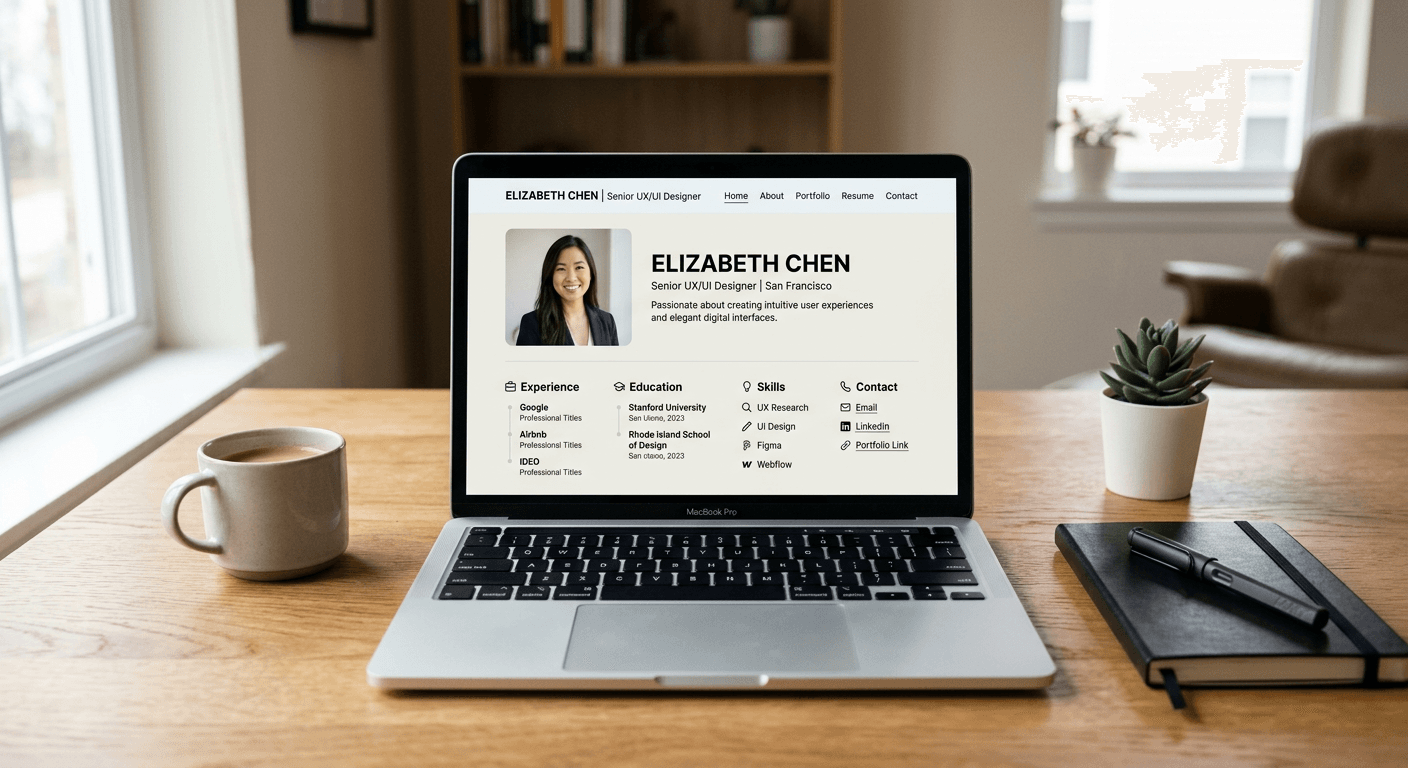
Creating a professional online presence is no longer optional for career-driven professionals, and a dedicated cv website design serves as the ultimate proof of your expertise. Unlike a static PDF, a personal website allows you to curate your professional narrative, integrate multimedia assets, and provide a seamless navigation experience for recruiters and potential collaborators. By leveraging an online cv maker to structure your core information, you can focus your efforts on the creative elements that differentiate you in a crowded job market.
Quick Summary {#quick-summary}
A CV website is a dynamic, web-based representation of your professional history, skills, and portfolio that functions as an interactive alternative to traditional paper resumes. It bridges the gap between static career documentation and a modern digital brand.
- Centralizes professional achievements and contact points.
- Showcases an online portfolio of projects and results.
- Enables instant updates without re-distributing document files.
- Increases discoverability through search engines and professional networking.
Table of Contents {#table-of-contents}
- Planning Your CV Website Architecture
- Choosing the Right Design Framework
- Structuring Your Professional Content
- Optimizing for Technical Performance
- Common Pitfalls and Troubleshooting
- FAQ
- Recommended Reads

Planning Your CV Website Architecture {#planning-your-cv-website-architecture}
Before writing a single line of code or picking a template, you must define the strategic purpose of your site. Are you a freelancer looking for leads, or a corporate professional aiming for a specific leadership role? Your architecture should prioritize the most critical information - usually your contact details, your professional summary, and your latest work. A clean, minimalist approach is almost always superior to a cluttered layout, as recruiters typically spend less than a minute on their initial review of a candidate's materials.
Start by mapping out a user flow. A typical successful CV website includes a landing page (hero section), an "About Me" page, a detailed work history, and a portfolio or case study section. Keep the navigation bar simple and intuitive, ideally restricted to four or five core menu items. Remember that your goal is to reduce the friction between a visitor arriving at your site and them reaching out to discuss an opportunity.
Choosing the Right Design Framework {#choosing-the-right-design-framework}
When selecting your design framework, consider your comfort level with technical maintenance. For those with limited coding experience, drag-and-drop builders are excellent, but they often come with bloat that can slow down page load times. Alternatively, using a modular platform allows you to maintain professional standards without needing to manage server infrastructure. Regardless of the tool, ensure your choice supports responsive design, as a significant portion of recruiters will review your site on a mobile device.
Prioritizing Visual Hierarchy
Visual hierarchy dictates how a visitor scans your content. Use distinct font sizes for headers, subheaders, and body text to guide the eye. High-contrast color schemes are essential for readability, and the use of whitespace is arguably the most important design element you have. By providing adequate breathing room between sections, you prevent the user from feeling overwhelmed and ensure that your key achievements stand out against the background.
Structuring Your Professional Content {#structuring-your-professional-content}
The copy on your CV website must be outcome-oriented. Instead of just listing responsibilities under each past role, use the "STAR" method (Situation, Task, Action, Result) to frame your contributions. This approach shifts the focus from what you were told to do to what you actually achieved. Data-backed bullet points are significantly more impactful than long paragraphs of text.
Integrate your professional identity by selecting a cohesive color palette and font pairing that matches your industry. If you are in finance or law, favor classic serifs and muted, professional tones. If you are in creative fields like design or advertising, you have more liberty to experiment with bold typography and interactive elements. Always provide a clear, one-click way to download your traditional resume in PDF format, as some HR systems still require standard documents for their internal processing.
Optimizing for Technical Performance {#optimizing-for-technical-performance}
Even the most beautifully designed CV website will fail if it takes too long to load or if it is not discoverable. Search engine optimization for your name is crucial; ensure your full name appears in the H1 tag and in the site's meta description. Compressing images is vital to ensuring that your portfolio loads instantly; heavy, unoptimized image files are the primary cause of slow site performance in professional profiles.
Mobile Responsiveness and Testing
Test your site across multiple devices and browsers before publishing. Check for "touch targets" - ensure that buttons and links are large enough to be tapped easily on a smartphone without error. Verify that your contact form is functional by sending yourself a test message from a different network or device to ensure that emails are being received and not trapped in spam filters.
Common Pitfalls and Troubleshooting {#common-pitfalls-and-troubleshooting}
A common mistake is failing to keep the content updated. A CV website with a "last updated" date from three years ago suggests you are not active in your professional growth. Set a recurring calendar reminder to review your site every six months to refresh your project list and ensure all links are still active.
Another frequent error is the use of non-standard, illegible fonts or overly complex navigation menus. If a recruiter has to guess how to find your contact info or your work history, they will likely navigate away. Troubleshooting should focus on broken internal links and image optimization; if your site feels sluggish, run it through a standard performance testing tool to identify which assets are causing the bottleneck.
FAQ {#faq}
Should I put my home address on my CV website? No. For privacy and security reasons, list only your city, state, and country. Digital contact methods like your email address and LinkedIn profile URL are sufficient.
Is it better to build from scratch or use a template? Templates are highly recommended for most professionals because they are pre-optimized for mobile devices and standard navigation patterns, allowing you to focus on content quality rather than layout bugs.
Do I need a custom domain name? Yes. A custom domain (e.g., yourname.com) adds a layer of professional authority that free subdomains cannot provide. It is a minor investment that significantly elevates your personal brand.
How often should I update my CV website? Aim for at least every six months. Whenever you complete a major project, earn a new certification, or transition roles, your website should reflect those changes immediately.